

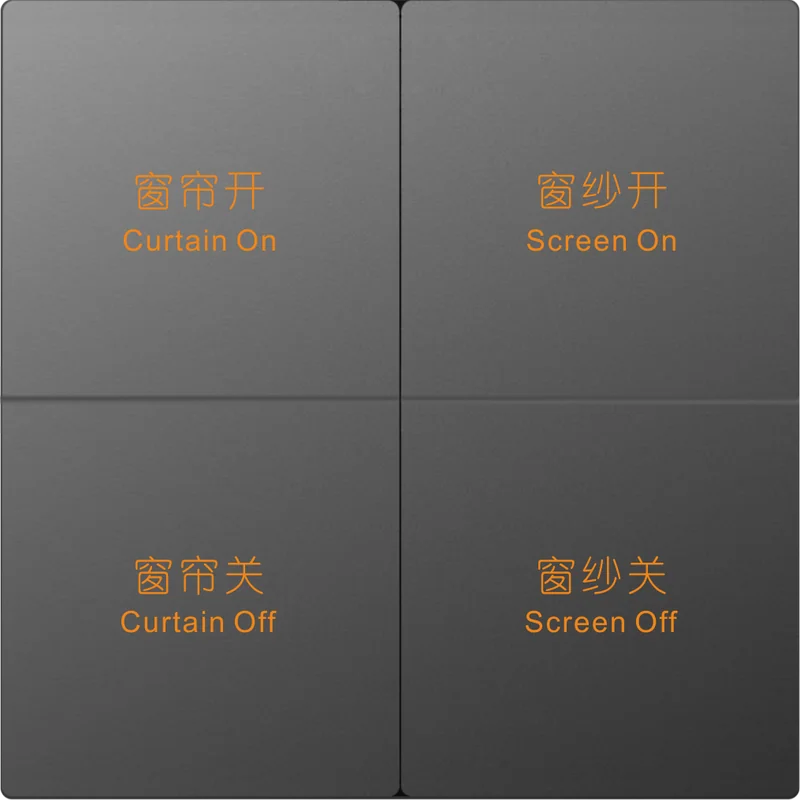
SLC600-S
Scene Switch
ZigBee 3.0 scene switch that triggers scenes and automations — 1/2/3/4/6 gang options, 3 colors, customizable text.
Overview
The Scene Switch SLC600-S is designed to trigger your scenes and automate your home. You can connect your devices together via your gateway and activate them via your scene settings.
Key Features
- ZigBee 3.0 compliant, works with any standard ZigBee hub
- Triggers scenes and automates your home
- Controls multiple devices at the same time
- 1/2/3/4/6 gang optional
- Available in 3 colors
- Customizable text
Specifications
| Protocol | ZigBee 3.0 (2.4GHz IEEE 802.15.4) |
|---|---|
| RF Range | Outdoor/indoor: 100m / 30m |
| Antenna | Internal PCB Antenna (TX power 19dB) |
| Voltage | 100~250 Vac 50/60 Hz |
| Power Consumption | < 1W |
| Gang Options | 1/2/3/4/6 gang optional |
| Customization | Customizable text |
| Dimensions | 92(L) x 92(W) x 35.4(H) mm; in-wall 63.3(L) x 61.9(W) x 22.4(D) mm |
| Operating Temp | -20℃ ~ +50℃ (≤ 90% non-condensing) |
| Colors | 3 colors |
Key Benefits
Scene Trigger
One touch activates your configured scenes.
1-6 Gang Options
1/2/3/4/6 gang to fit any room layout.
Custom Text
Buttons with customizable labels.
3 Colors
Match the switch to the décor.
Ideal For
Common deployment scenarios where Scene Switch delivers the most value.
Hotel Rooms
One-touch scene control for lighting presets.
Smart Homes
Trigger scenes from the wall.
Meeting Rooms
Scene buttons for presentations and cleaning modes.
Retail & Showrooms
Custom-labeled scene buttons.
OEM / ODM Projects
OEM branding and ODM development available.
ZigBee Smart Homes
Works with any standard ZigBee hub.
Frequently Asked Questions
What does the SLC600-S do?
How many gangs are available?
Can the buttons be customized?
What are the color options?
Which ZigBee profile does it use?
Related Products
Interested in Scene Switch?
Download the datasheet or request pricing — our team will respond within 24 hours.
Our engineers usually reply within one business day.