
· OWON Technology · Smart Energy Meters · 13 min read
Tuya Cloud or Your Own Broker: Choosing the PC471 Integration Path
Five PC471 models report into the Tuya Cloud; three report to your own broker over HTTP, MQTT or Modbus. How to choose the path before you order.
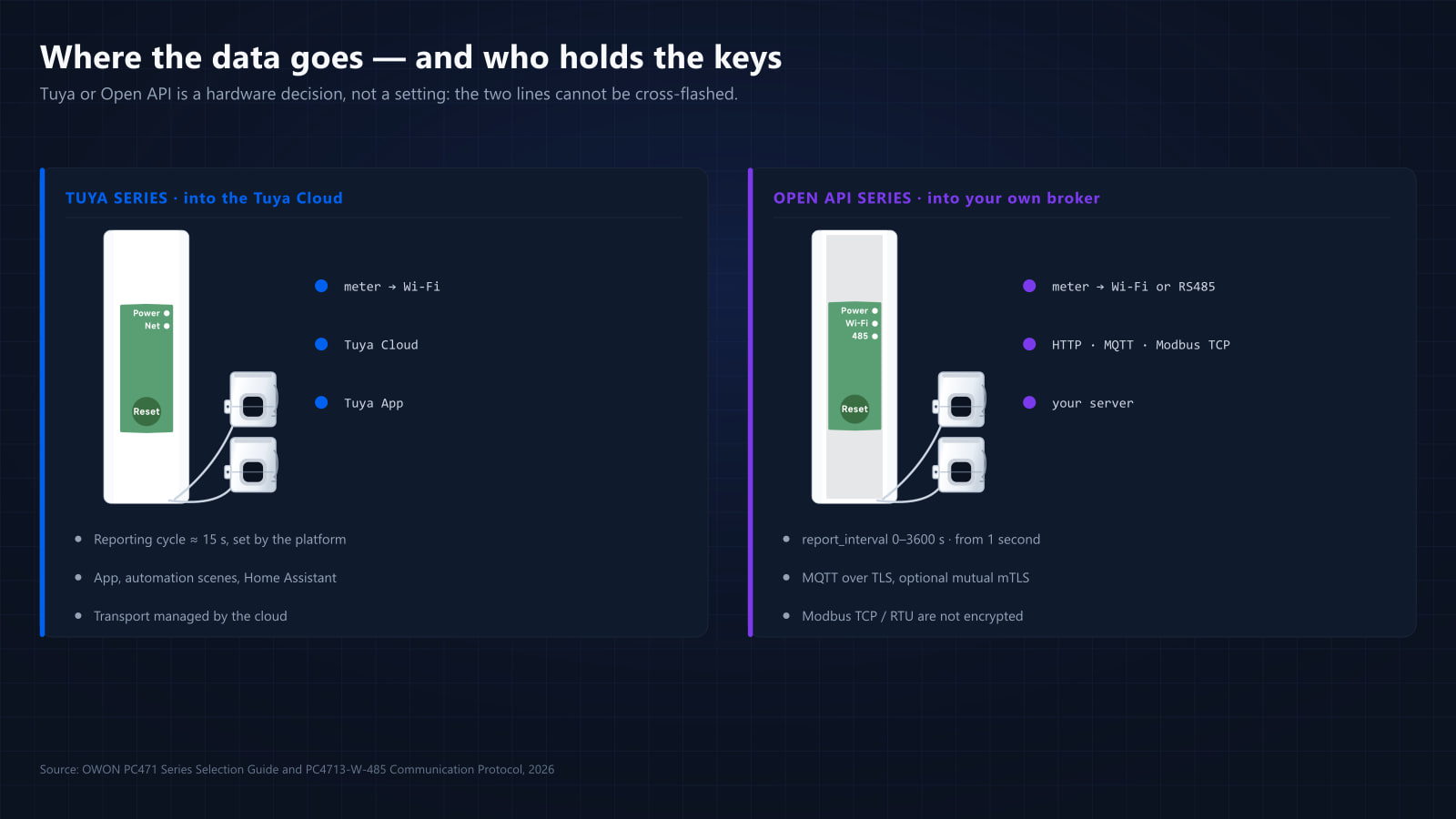
One hardware platform, eight models, two integration paths — and only one of them can be chosen at the order.
The PC471 is deliberately narrow on the electrical side: one housing, one accuracy class, one metering feature set. Where it opens up is at the network edge, and that is the fork that decides the rest of the project. If the site is still being sized on phases, CT bore and current rating, start with the full selection guide — this article assumes the model line is settled and only the destination of the data is open.
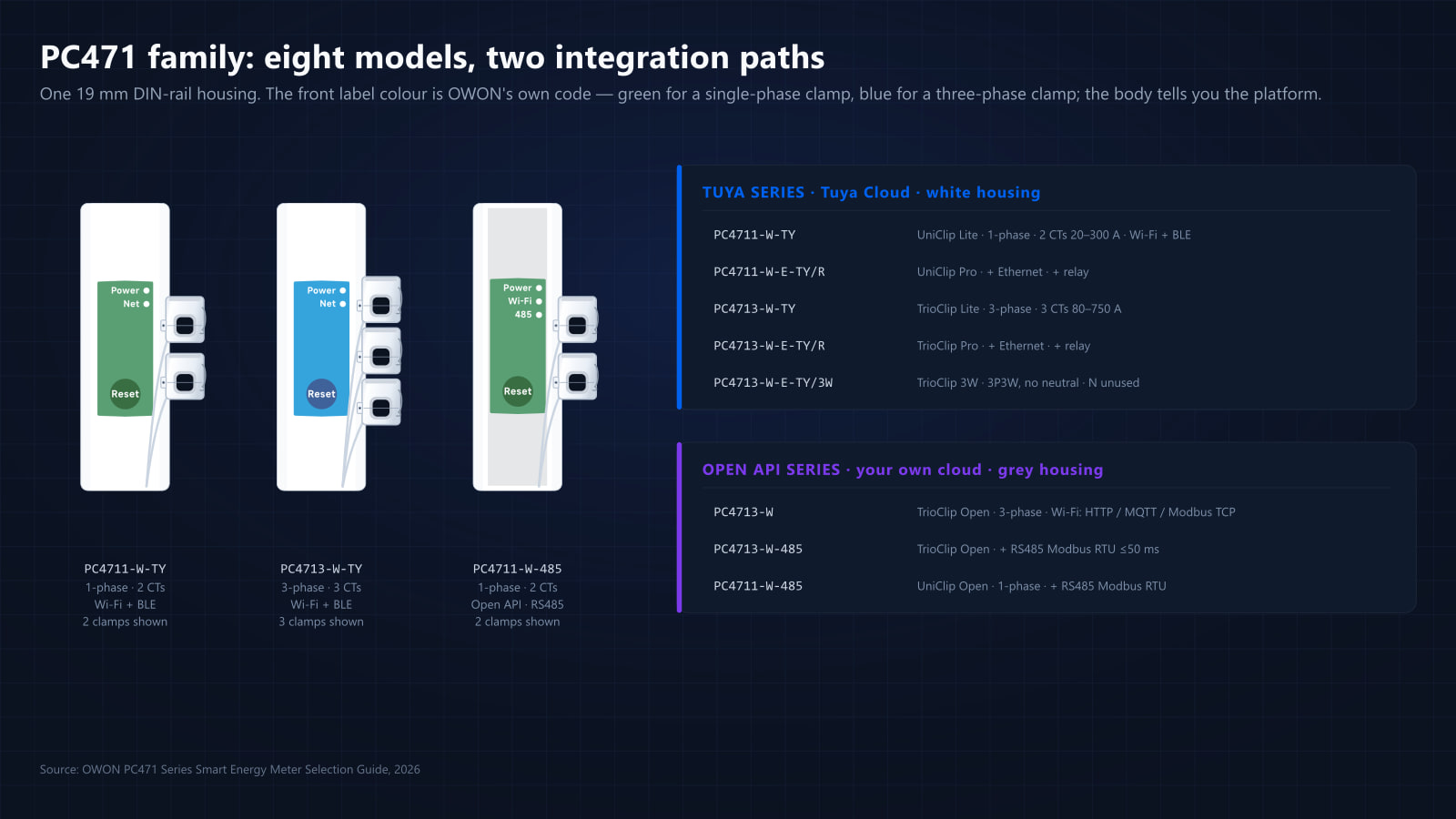
That destination splits the family in two: the Tuya series, which reports into the Tuya Cloud and is operated through the Tuya App, and the Open API series, which reports straight to your own cloud or local server and is configured from a browser. The two are different hardware and cannot be cross-flashed, so the choice is made once, at ordering time.
Decide where the data goes
This is the decision that actually separates the two series, and it is usually made by the business model rather than by the electrical installation.
| Tuya series | Open API series | |
|---|---|---|
| Data destination | Tuya Cloud | Your own cloud or local server |
| User interface | Tuya App (Day · Week · Month · Year, export) | Browser-based web config — no app |
| Connectivity | UniClip Lite / TrioClip Lite: Wi-Fi + BLE · UniClip Pro / TrioClip Pro / TrioClip 3W: Wi-Fi + Ethernet 10/100 Mbps + BLE | PC4713-W: Wi-Fi (HTTP / MQTT / Modbus TCP) · PC4713-W-485 & PC4711-W-485: Wi-Fi + RS485 (Modbus RTU) |
| Reporting | 15 s cycle (relay status instant on Pro) | 50 ms data refresh; report time set in integration |
| Protocols | Tuya Cloud APIs | HTTP · MQTT · Modbus TCP · Modbus RTU (RS485, max 50 ms response) |
| Metering modes | Active / reactive / apparent power, bi-directional | Four-quadrant · RMS / PQS |
| Offline behaviour | Data stored locally, auto re-reported | Minute-level buffering, auto re-reported |
| Phase-sequence alarm | Every three-phase model, the 3P3W build included | Yes, on every three-phase model |
| Extras | Tuya automation scenes, Home Assistant | Home Assistant, OTA, optional demand metering |
Choose the Tuya series when the end user is a person: homeowners, small commercial sites, property managers who want to open an app, see live and historical consumption, set automation scenes and export reports. Pairing is BLE-assisted, and the Pro models add Ethernet as a fallback for weak wireless environments.
Choose the Open API series when the end user is a platform: BMS / EMS, solar monitoring portals, tenant billing, white-label dashboards, industrial integration. The meter reports straight to your infrastructure, there is no third-party public cloud in the path, and configuration is done in a browser. For wired industrial loops, the -485 variants add Modbus RTU over RS485 with a maximum 50 ms response time alongside Wi-Fi.
A useful sanity check: if your project plan contains the words “our platform”, “our server” or “our app”, take the Open API series. If it contains “the customer’s phone”, take the Tuya series.
One point is worth stating before the tables: Tuya and Open API are different hardware, not firmware variants, and they cannot be cross-flashed. The integration path is the one decision in this family that cannot be revised after the order is placed.
The Tuya series at a glance
UniClip LitePC4711-W-TY | UniClip ProPC4711-W-E-TY/R | TrioClip LitePC4713-W-TY | TrioClip ProPC4713-W-E-TY/R | TrioClip 3WPC4713-W-E-TY/3W | |
|---|---|---|---|---|---|
| System | Single-phase | Single-phase | 1P / Split / 3P 4W | 1P / Split / 3P 4W | 1P / Split / 3P 4W / 3P 3W |
| Nominal voltage | 230 V AC | 230 V AC | 3×230/400 V AC | 3×230/400 V AC | 3×230/400 V AC L-N 90–277 / L-L 156–480 V |
| CTs | Max 2 · 20–300 A | Max 2 · 20–300 A | Max 3 · 80–750 A | Max 3 · 80–750 A | Max 3 · 80–750 A |
| CT inner Ø | Ø10 / 16 / 20 / 24 mm | Ø10 / 16 / 20 / 24 mm | Ø10–51 mm (6 options) | Ø10–51 mm (6 options) | Ø10–51 mm (6 options) |
| Connectivity | Wi-Fi + BLE | Wi-Fi + Ethernet + BLE | Wi-Fi + BLE | Wi-Fi + Ethernet + BLE | Wi-Fi + Ethernet + BLE |
| Relay | — | Dry contact · 3 A / 5 A | — | Dry contact · 3 A / 5 A | — |
| Reporting cycle | 15 s | 15 s · relay status instant | 15 s | 15 s · relay status instant | 15 s |
| Remote management | Data erase · reboot · CT setting | Data erase · reboot · CT setting | + phase sequence alarm | + phase sequence alarm | Data erase · reboot · CT setting |
| Bi-directional (usage / solar) | ✓ | ✓ | ✓ | ✓ | ✓ |
| Offline storage · auto re-report | ✓ | ✓ | ✓ | ✓ | ✓ |
| Tuya App data | Real-time / historical · Day · Week · Month · Year | Real-time / historical · Day · Week · Month · Year | Real-time / historical · Day · Week · Month · Year | Real-time / historical · Day · Week · Month · Year | Real-time / historical · Day · Week · Month · Year |
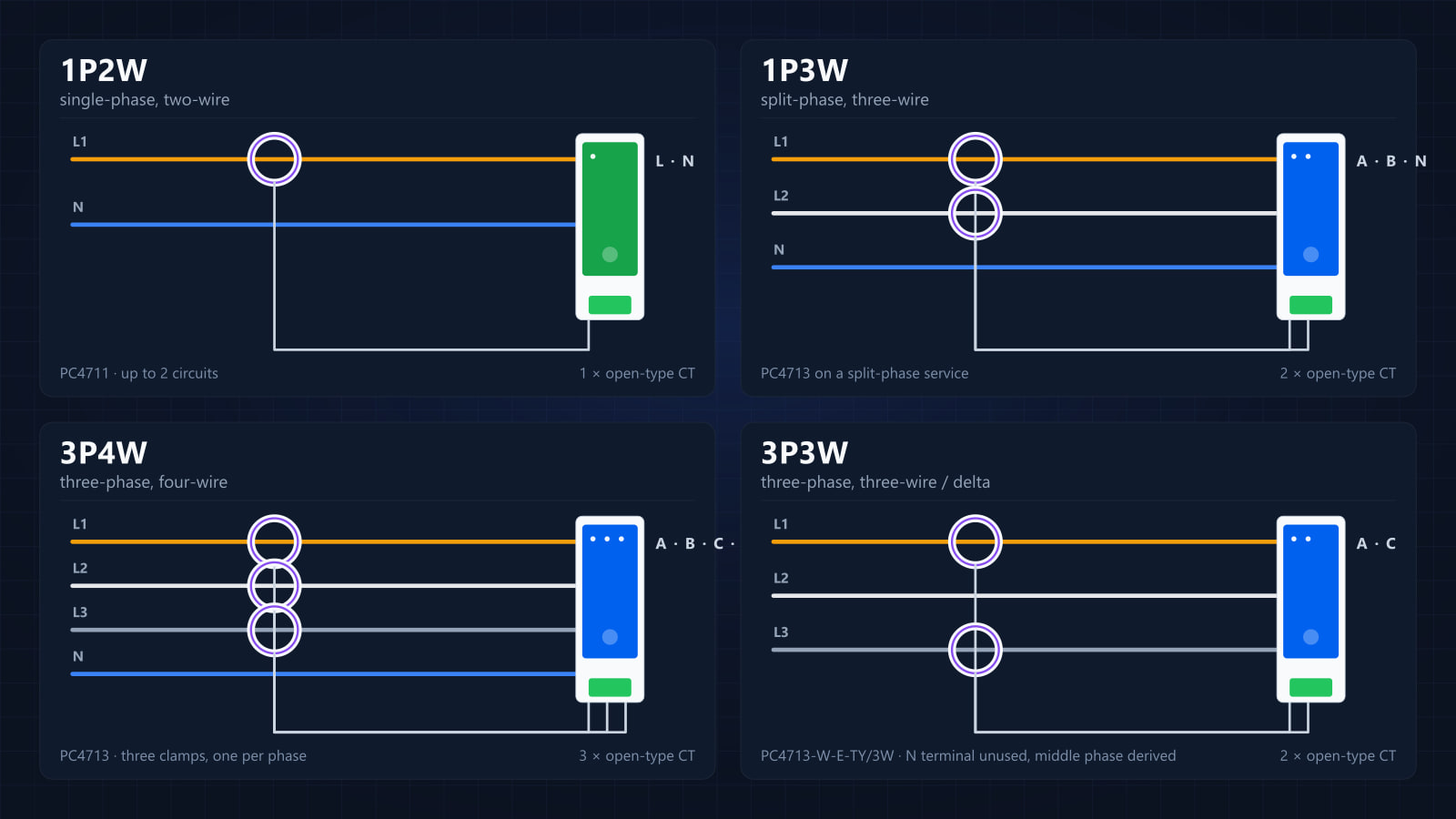
Treat the last column as a separate build, not a variation of TrioClip Pro: same silhouette and app experience, different input stage. It is listed here because it is the only standard-catalogue answer to a 3P3W site.
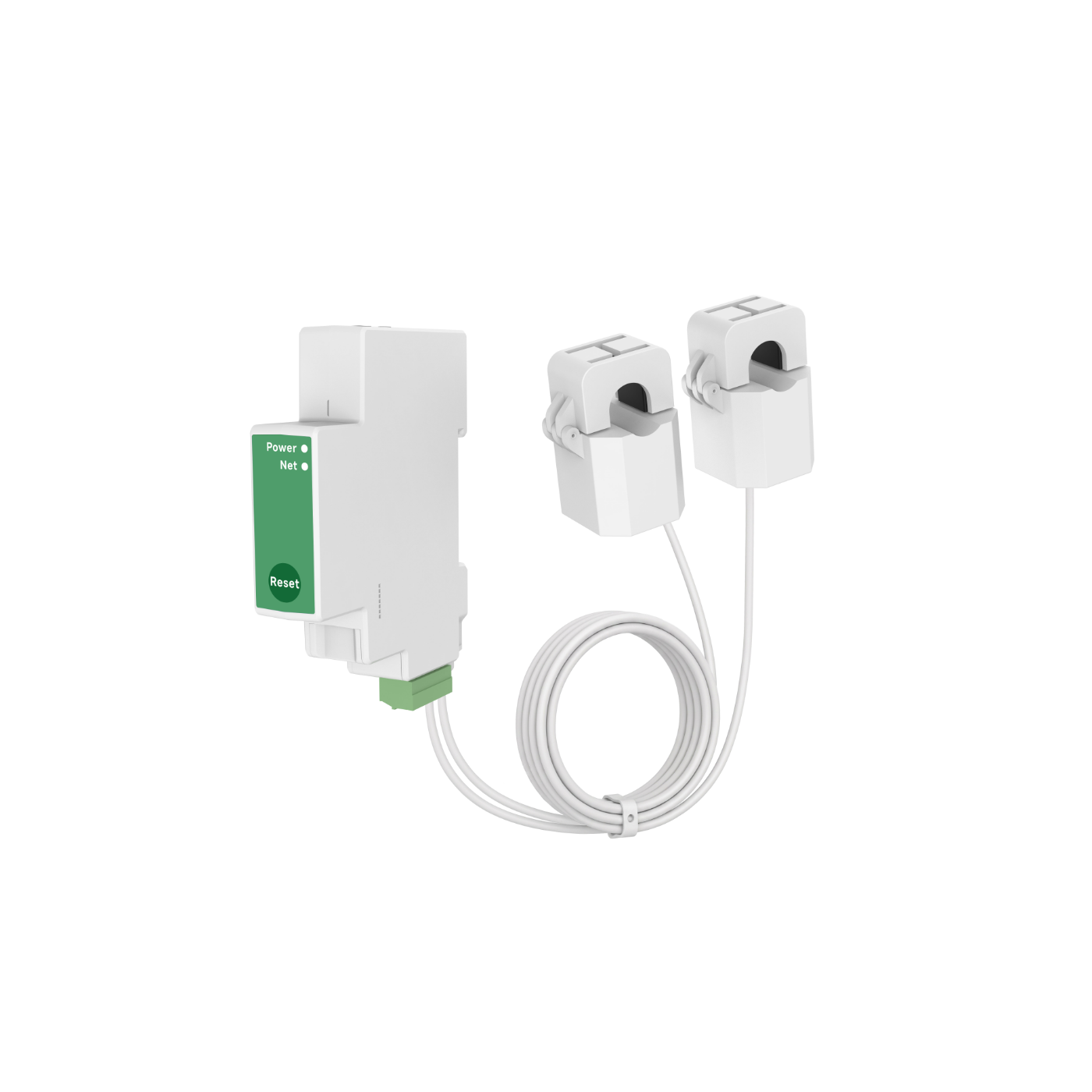
UniClip Lite
PC4711-W-TY
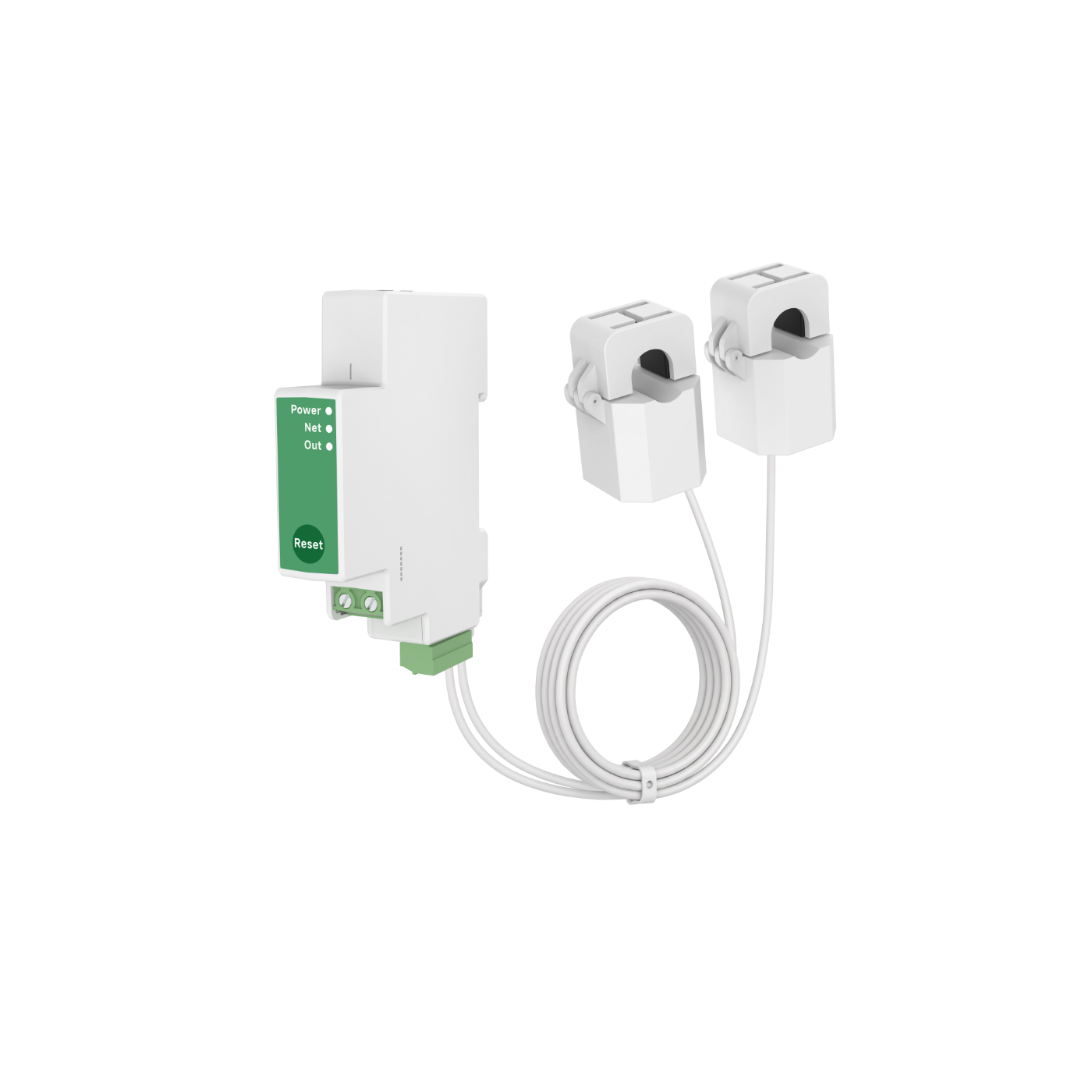
UniClip Pro
PC4711-W-E-TY/R
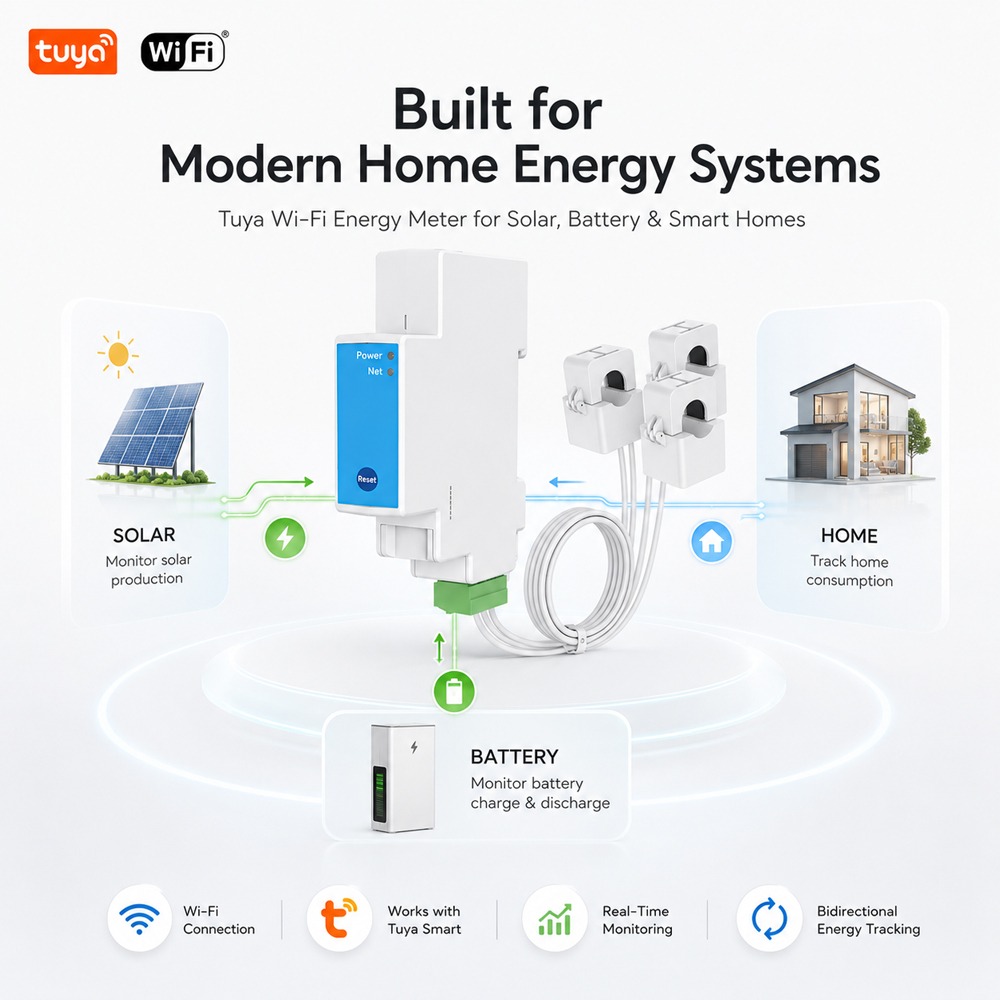
TrioClip Lite
PC4713-W-TY
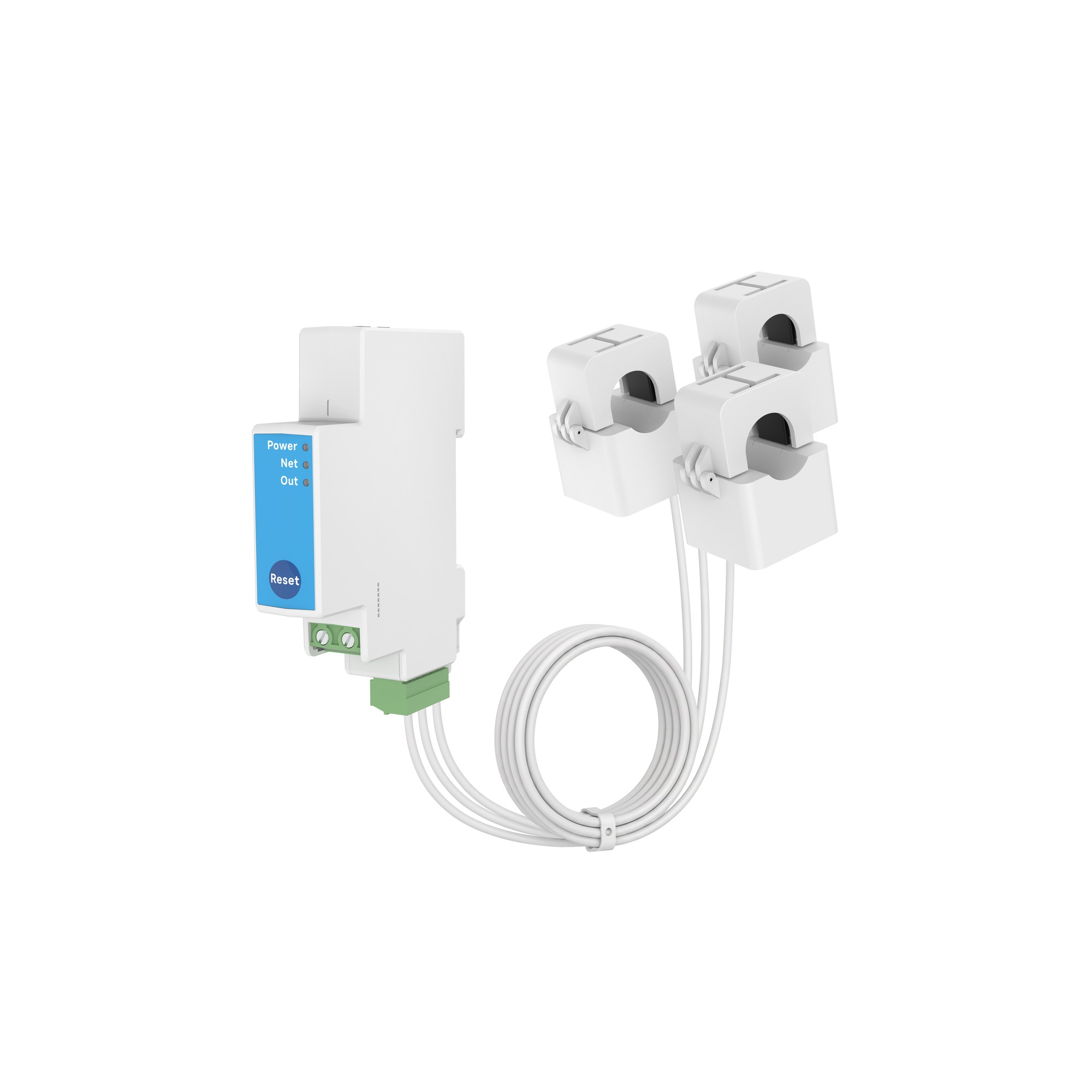
TrioClip Pro
PC4713-W-E-TY/R
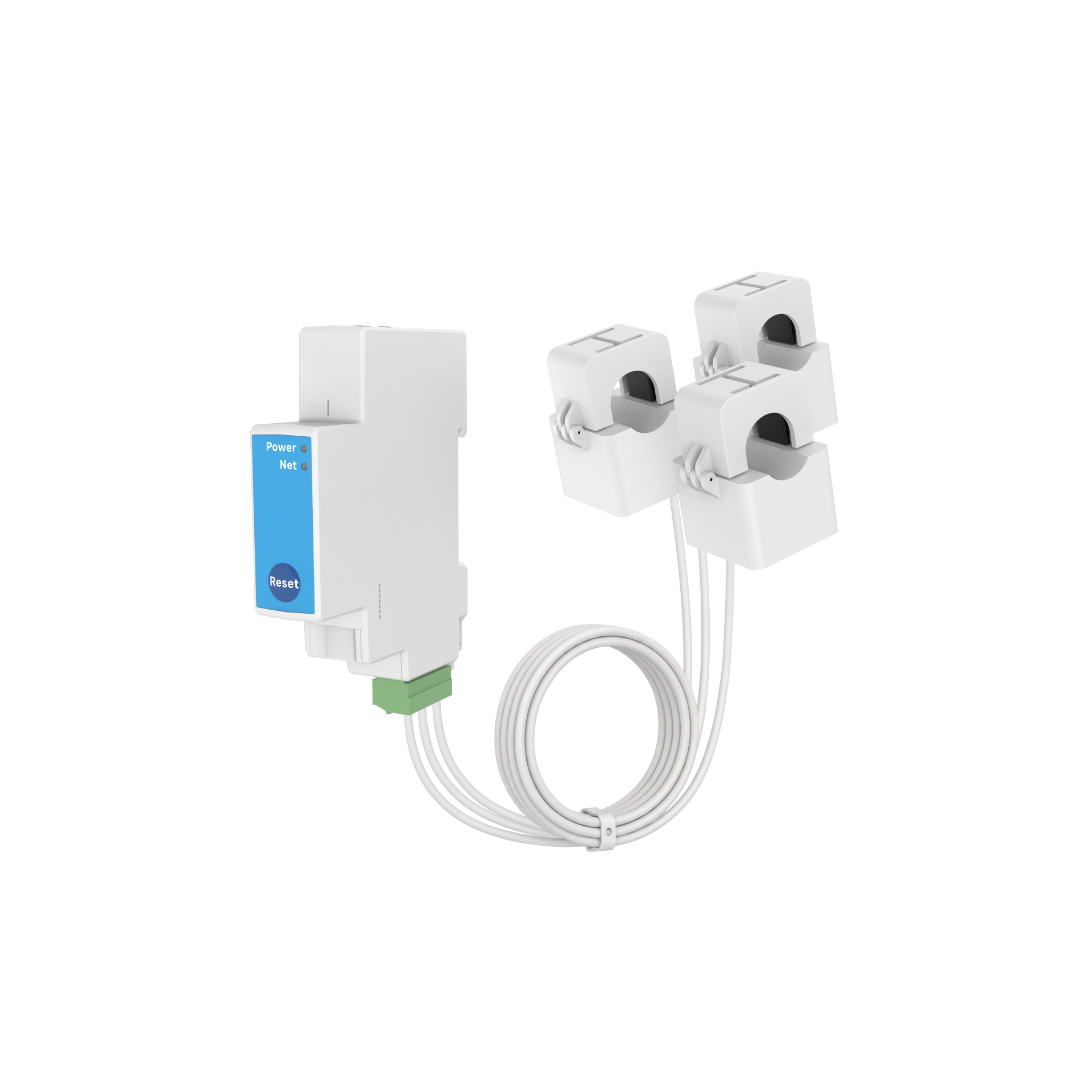
TrioClip 3W
PC4713-W-E-TY/3W
covers 3P3W
The two Lite models are the entry points: compact, single-network, measurement only. The two Pro models add the relay and the second network path. If the site is three-phase and needs load control, PC4713-W-E-TY/R is the flagship of the line — and if the site is 3P3W, PC4713-W-E-TY/3W is the only standard-catalogue option. Relay wiring, antenna fitting and the 3P3W input stage are order-time or site work rather than platform work; they are covered in wiring and commissioning.
For the Tuya series the integration story is short by design. Data lands in the Tuya Cloud on a 15 s reporting cycle, the end user reads it in the Tuya App with day / week / month / year history and export, and — on the Pro models — relay status is reported instantly so a load-control action is visible as soon as it happens. Offline, the meters store data locally and re-report once the connection returns. Encryption on this series is platform-managed: it is the Tuya Cloud’s own transport, not something the project configures. The Tuya models also support Home Assistant and Tuya automation scenes, which makes them more than an app front end — but the data path still runs through a third-party public cloud.
The Open API series at a glance
TrioClip OpenPC4713-W | TrioClip OpenPC4713-W-485 | UniClip OpenPC4711-W-485 | |
|---|---|---|---|
| System | 1P / Split / 3P 4W | 1P / Split / 3P 4W | Single-phase |
| Nominal voltage | 3×230/400 V AC | 3×230/400 V AC | 230 V AC |
| CTs | Max 3 · 80–750 A | Max 3 · 80–750 A | Max 2 · 20–300 A |
| CT inner Ø | Ø10–51 mm (6 options) | Ø10–51 mm (6 options) | Ø10 / 16 / 20 / 24 mm |
| Connectivity | Wi-Fi 802.11 b/g/n HTTP · MQTT · Modbus TCP | Wi-Fi + RS485 HTTP / MQTT / Modbus TCP · Modbus RTU | Wi-Fi + RS485 HTTP / MQTT / Modbus TCP · Modbus RTU |
| Data refresh | 50 ms | 50 ms | 50 ms |
| Modbus RTU response | — | Max 50 ms | Max 50 ms |
| Report time | Set in integration | Set in integration | Set in integration |
| Four-quadrant · RMS / PQS | ✓ | ✓ | ✓ |
| Offline storage | Minute-level · auto re-report | Minute-level · auto re-report | Minute-level · auto re-report |
| OTA · Web config · no app | ✓ | ✓ | ✓ |
| Home Assistant | ✓ | ✓ | ✓ |
All three support browser configuration, OTA updates, data erase, remote reboot and CT setting without any app. The two -485 models are the ones to pick when the platform side is a wired bus: Modbus RTU over RS485 runs alongside Wi-Fi rather than replacing it, so you can integrate over the wire and still keep the cloud path.
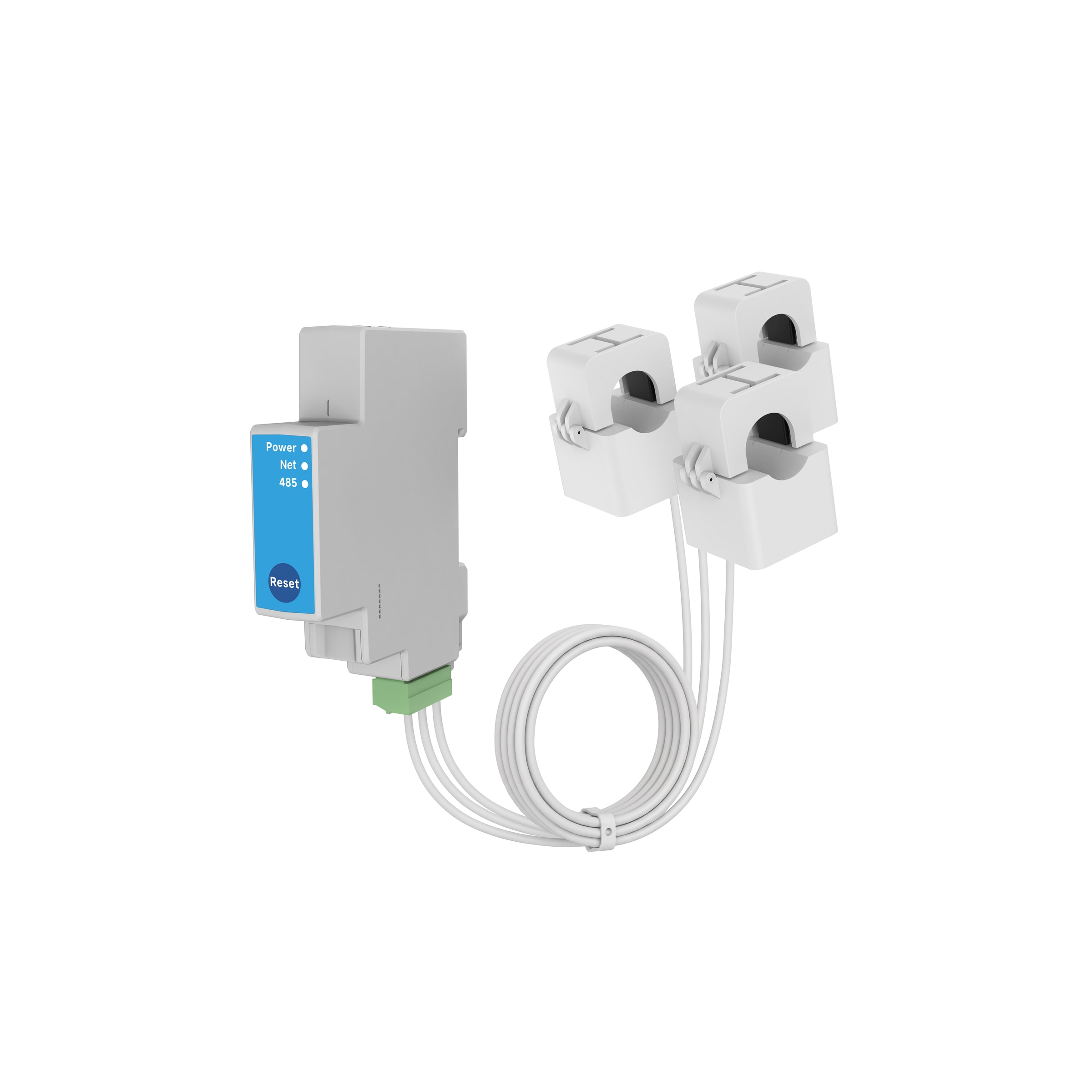
TrioClip Open
PC4713-W-485 · Wi-Fi + RS485
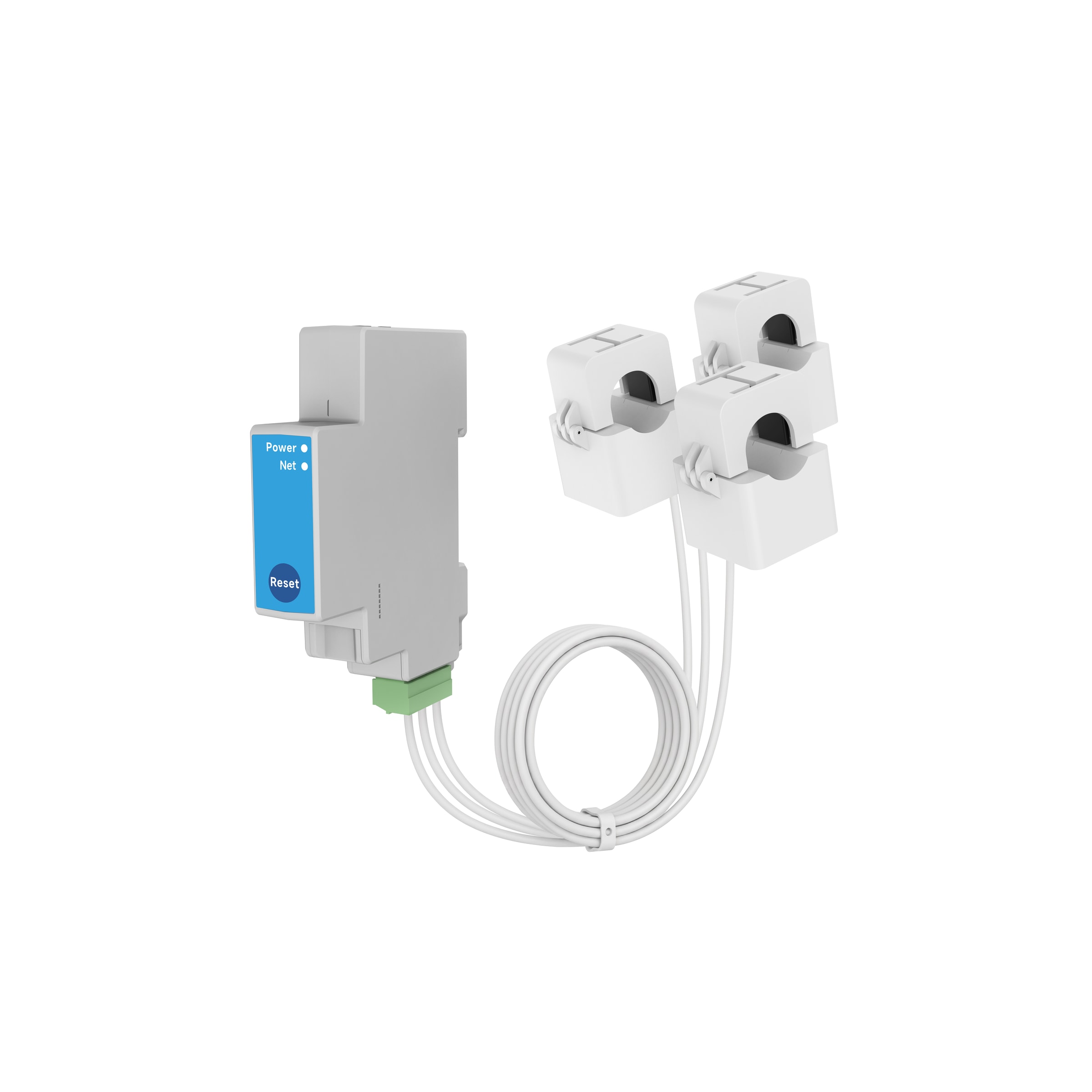
TrioClip Open
PC4713-W · Wi-Fi only
Wi-Fi only · no RS485 port
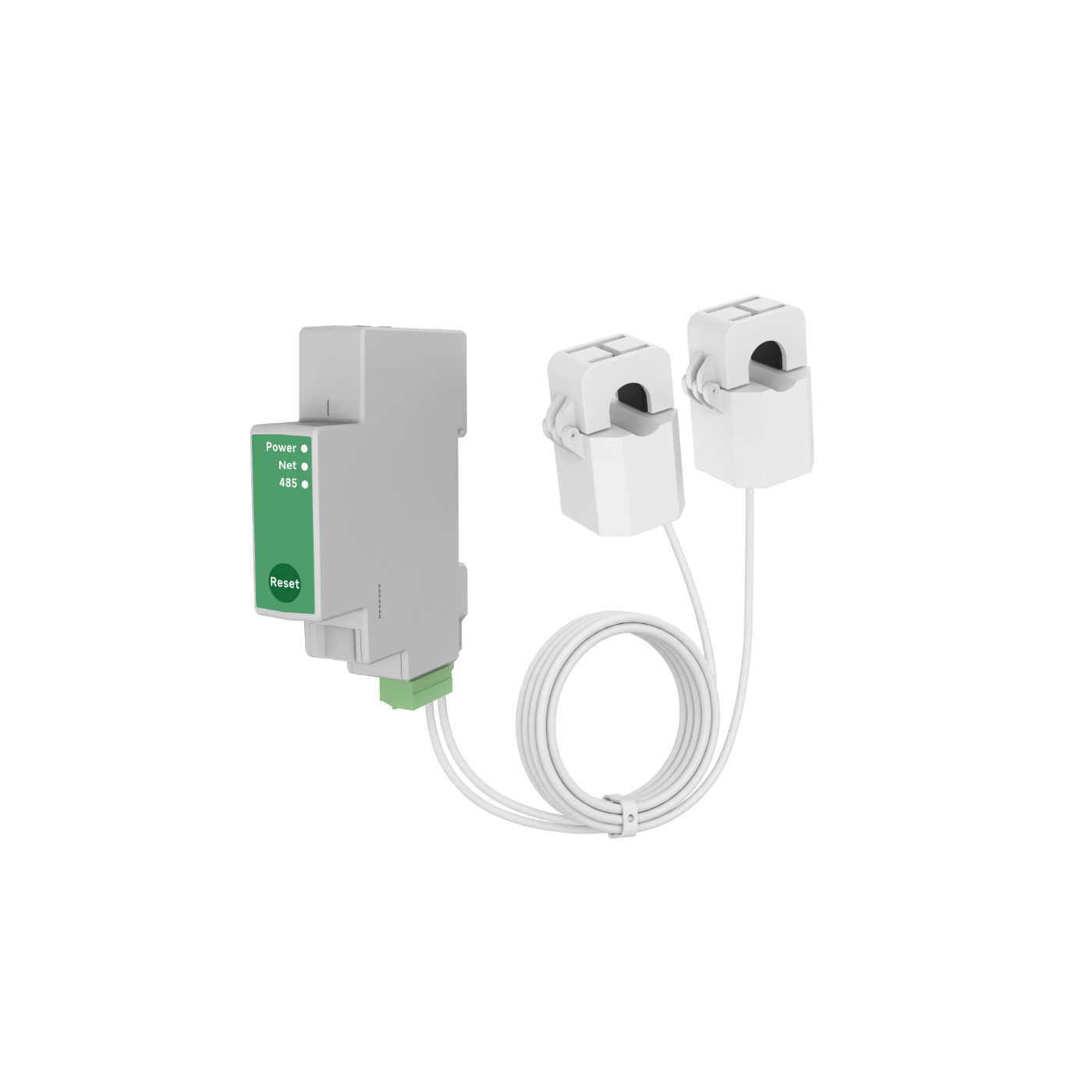
UniClip Open
PC4711-W-485
Browser-only configuration on the Open API models
This is the difference that installers notice first. The Open API meters do not need an app, and they do not need a cloud account: the meter serves its own configuration page, and you reach it from any phone or laptop browser.
- Power the meter after wiring. The Wi-Fi LED flashes slowly to show it is in AP mode.
- Join the meter’s own hotspot — the SSID is
Meter_XXXXXX, whereXXXXXXis the last six digits of the serial number. - Open a browser and go to
192.168.4.1orowon.local. It finds the device automatically. Chrome is the recommended browser. - Log in with the default password documented in the quick-start guide (change it on first use), and the device page opens.
Everything is then in that page and nowhere else: live readings, reporting frequency, CT specification, OTA firmware update, data erase and remote reboot. No app install, no account handover when a tenant or integrator changes, and nothing that depends on a vendor cloud staying online.
The same settings are also reachable over the network — HTTP, MQTT or Modbus TCP over Wi-Fi, and Modbus RTU over RS485 on the -485 models — which is what makes the Open API series usable as a headless device on someone else’s platform.
Reporting speed and link security on the Open API models
Two questions come up in every integration review, and both have concrete answers rather than “it depends”.
How fast can it report? The interval is a setting, not a platform policy: report_interval lives in device.measure.config, spans 0 to 3600 seconds and defaults to 10/600. Set it to 1 for one-second reporting. That is the point of the Open API series for anti-backflow control, inverter following and demand response, where the Tuya platform’s roughly 15-second cycle is too slow. Note the boundary as well: the “minimum 10 seconds” figure that circulates belongs to the PC321 and PC341 families, not to the PC471 — a requirement to report within 5 seconds is met here.
Is the link encrypted? MQTT supports TLS/SSL with mutual (mTLS) certificate authentication, not just server-side verification: mutual authentication activates when the client certificate and the client private key are both present. Certificates are uploaded in chunks through the meter’s link.mqtt.security.certificate interface and can also be pulled from your own server for rotation, and the MQTT configuration is two-stage — upload with set, then Apply Current MQTT Configuration to make it live. The same TLS protects the meter’s own HTTPS service. Certificates are size-bounded — up to 8 KB each — which is worth checking before you generate them.
The boundary matters as much as the feature: Modbus TCP and Modbus RTU over RS485 are not encrypted. If the project requires encrypted transport end to end, MQTT is the path; Modbus is for trusted networks and existing BMS / EMS buses.
Availability: the single-phase Open API models are the newest
The three-phase Open API models — PC4713-W and PC4713-W-485 — are shipping. The single-phase PC4711-W and PC4711-W-485 are the newest members of the family and are coming soon: the specifications are final and published, and availability is confirmed with your sales contact. If the schedule is tight, a single-phase service can be met today by a Tuya model, or by a three-phase meter on a single-phase service.
Choose the protocol by scenario, not by preference
Because the Open API models expose several integration methods at once, the protocol becomes a site-specific engineering decision. Three patterns come up repeatedly:
- Anti-backflow and inverter control. Some inverters fetch current data from the router side on a fixed, high-frequency schedule. That is a polling pattern — and it is what the 50 ms data refresh on the Open API models exists for. Use HTTP requests on your own cadence rather than waiting for a push interval.
- An existing Modbus platform. If a BMS, EMS or SCADA stack already speaks Modbus, the cheapest integration is the one that reuses it: Modbus TCP over Wi-Fi, or Modbus RTU over RS485 where a cable is already in place (max 50 ms response).
- A cloud IoT platform. For platforms built around a broker, MQTT carries telemetry with far less overhead than repeated HTTP requests and keeps a persistent session.
The practical consequence: run the pilot on the protocol that fits the site, measure it, keep it. If the choice turns out to be wrong, the meter is the same device — only the integration changes. That flexibility is the reason the Open API series exists, and it is the reason a project with its own broker does not have to accept a vendor cloud in the path.
Two questions from pre-sales conversations are worth answering here, because both are about the network rather than the meter.
“I have my own platform. Can the meter report straight to my broker without a vendor cloud?” Yes — that is what the Open API series is for. PC4713-W-485 (three-phase) and PC4711-W-485 (single-phase) report to your own cloud or local server over HTTP, MQTT or Modbus TCP on Wi-Fi, plus Modbus RTU over RS485. No third-party cloud is in the path, no account is required, and the reporting interval is set in your own integration.
“Will the meter keep sending if the network drops, or do I lose the history?” It buffers locally and re-reports automatically after reconnection. The Open API models keep minute-level data offline. The Tuya models store data locally and re-report once the connection returns.
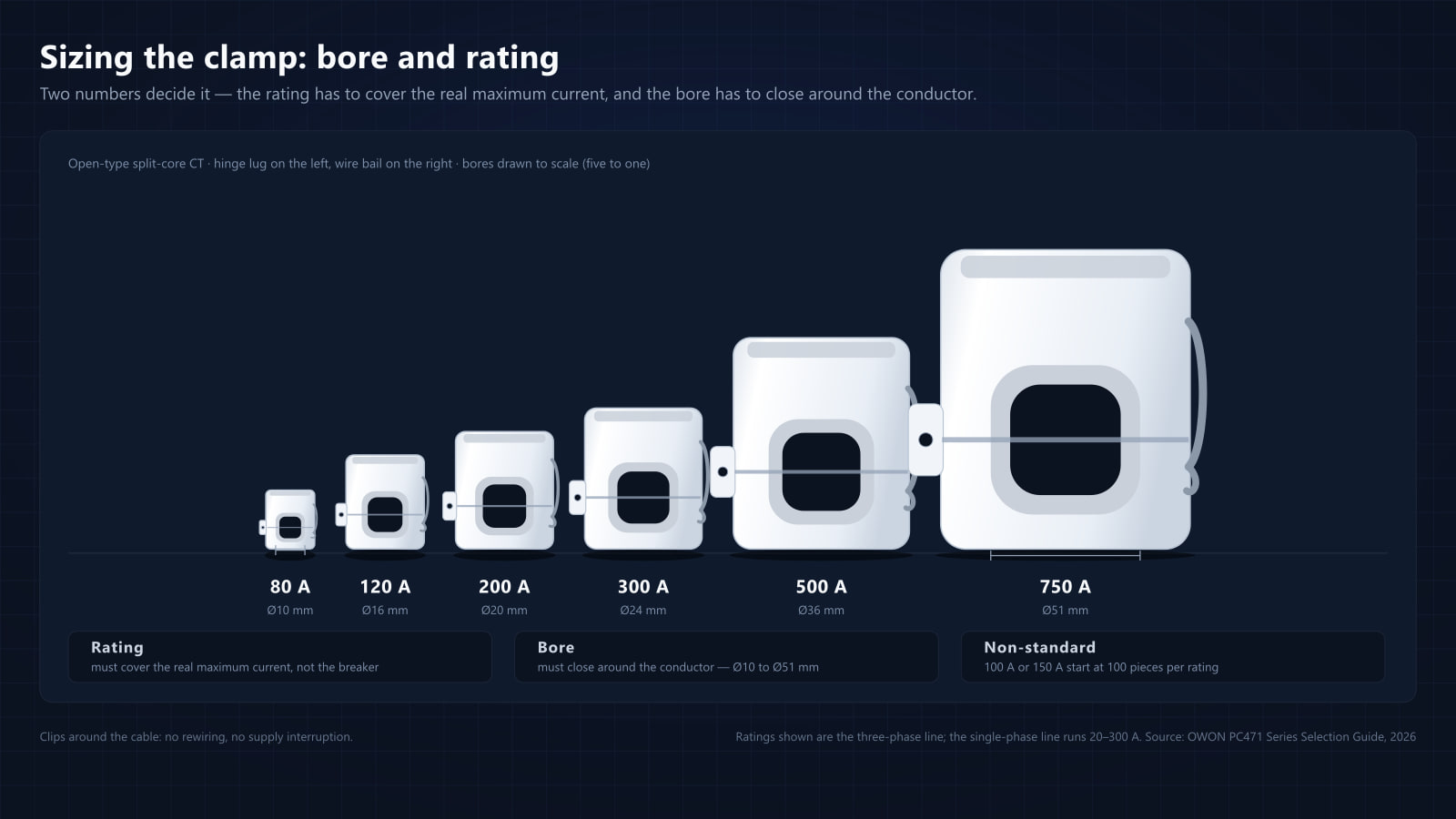
One last boundary to carry into the quote: the two series also differ in what can be quoted alongside them. The CT line is 20–300 A on single-phase and 80–750 A on three-phase, and the two constraints that surprise buyers most — that 20 A and 50 A are supported but not stocked, and that 100 A and 150 A are non-standard ratings produced from 100 pieces — are set out in the CT selection guide.
Frequently Asked Questions
What is the difference between the Tuya series and the Open API series?
The Tuya series reports into the Tuya Cloud and is operated through the Tuya App (15 s reporting cycle, automation scenes, Home Assistant integration). The Open API series reports directly to your own cloud or local server over HTTP, MQTT or Modbus TCP — MQTT optionally over TLS with mutual (mTLS) authentication — needs no app and no third-party cloud, and is configured from a browser. The reporting interval is yours to set: report_interval spans 0 to 3600 seconds with a default of 10/600, so one-second reporting is available where the 15-second Tuya cycle is too slow.
Do I need an app or a cloud account to configure a PC471?
Not for the Open API models. The meter serves its own configuration page: join its AP hotspot (Meter_XXXXXX, the serial number suffix), open 192.168.4.1 or owon.local in a browser, log in with the default password from the quick-start guide, and every setting — reporting frequency, CT specification, OTA, data erase, remote reboot — is there. No app to install, no account to create, and nothing that depends on a vendor cloud staying online. The Tuya models use the Tuya App instead.
Can the meter report straight to my own MQTT broker without a vendor cloud?
Yes — that is what the Open API series is for. PC4713-W-485 (three-phase) and PC4711-W-485 (single-phase) report to your own cloud or local server over HTTP, MQTT or Modbus TCP on Wi-Fi, plus Modbus RTU over RS485. No third-party cloud is in the path, no account is required, and the reporting interval is set in your own integration: report_interval spans 0 to 3600 seconds with a default of 10/600, so one-second reporting is possible. MQTT supports TLS/SSL with mutual (mTLS) certificate authentication; Modbus TCP and Modbus RTU are not encrypted.
How fast can a PC471 report, and can it report every second?
On the Open API models the interval is a setting in your integration, not a platform policy: report_interval in device.measure.config spans 0 to 3600 seconds and defaults to 10/600, so one-second reporting is available — which is what anti-backflow control and inverter following need. The Tuya models report on the platform cycle of about 15 seconds. The "minimum 10 seconds" figure that circulates belongs to the PC321 and PC341 families, not to the PC471.
Is the traffic from the meter encrypted?
On the Open API models, MQTT runs over TLS/SSL and supports mutual (mTLS) certificate authentication: the meter presents its own client certificate and key, and mutual authentication activates when both are present, so your broker verifies the device and not only the other way round. Certificates are uploaded in chunks through the link.mqtt.security.certificate interface, or pulled from your own server for rotation, and the same TLS protects the meter's own HTTPS service. The honest boundary: Modbus TCP and Modbus RTU over RS485 are not encrypted, so a project that needs encryption end to end should standardise on MQTT.
Can I choose between HTTP, MQTT and Modbus instead of being locked into one?
Yes. The Open API models expose HTTP, MQTT and Modbus TCP over Wi-Fi, plus Modbus RTU over RS485 on the -485 variants, at the same time. You can benchmark more than one method on the same meter against real site conditions and keep the integration that performs best — for example HTTP request polling at high frequency for anti-backflow control, or Modbus where a BMS or EMS platform already uses it.
What are the response times of the PC471 Open API models?
They are quoted per interface rather than as a single number: 50 ms response over RS485 Modbus RTU, and 200 ms over Wi-Fi. If you are building a control loop or an anti-backflow scheme, design against the wired figure.
What happens to the data if the link is down for a few hours?
Meters buffer data locally and automatically re-report after reconnection. The Open API models store minute-level data; the Tuya models store data locally and re-report automatically once the connection returns.
Does the PC471 work with Home Assistant?
Yes. The official selection guide lists Home Assistant integration across the family, and the Tuya models additionally support Tuya automation scenes and export / import of grid or energy values as triggers.
If we move to our own broker in two years, can we start on Tuya now?
No. They are different hardware, not firmware variants, and they cannot be cross-flashed. The Tuya models report to the Tuya Cloud (Wi-Fi, plus Ethernet on the Pro models); the Open API models are built for direct integration (Wi-Fi with HTTP / MQTT / Modbus TCP, plus RS485 on the -485 models). Decide the integration path before ordering — it is the one decision that cannot be revised afterwards.
What happens if the Wi-Fi at the site is unreliable?
You do not have to buy new hardware. The three Ethernet models (PC4711-W-E-TY/R, PC4713-W-E-TY/R, PC4713-W-E-TY/3W) add Ethernet 10/100 Mbps, and the Open API PC4713-W-485 and PC4711-W-485 add RS485 Modbus RTU alongside Wi-Fi, so the site can move to a cable (the single-phase Open API models are coming soon). Standard Lite models are Wi-Fi only, so choose the wired variants up front for difficult wireless environments.
Which settings can be changed after installation?
Reporting frequency, CT specification, OTA firmware update, data erase and remote reboot — plus the phase-sequence alarm on the three-phase models. They are reachable over HTTP, MQTT or Modbus TCP on Wi-Fi, over Modbus RTU on the RS485 models, and through the meter's own browser page on the Open API series.